
Cinematic Camera Moves in AI Video Prompts That Hold
Push-in, orbit, crane, drone, and locked-off shots: the exact camera wording that worked across our tested FLUX 3 Max clips and where shots drift.
On this page4 sections
Camera direction works best in FLUX 3 Max when you stick to one clear camera verb per 5 to 10 second clip - such as “slow smooth push-in”, “camera tracks alongside at ground level”, “orbits from a low angle up to a high angle”, or “locked-off shot”. Stacking three competing moves in a short clip causes wobble, while flying drones too close to foreground trees caused end-frame blur in our alpine village test.
Five camera moves tested in our library
Every camera phrase below comes directly from prompts we ran and verified. Compare how each move behaves across 5 s, 8 s, 10 s, and 15 s durations:
| Camera move | Exact phrase that worked | Clip & duration | Result notes |
|---|---|---|---|
| Slow push-in | “A slow smooth push-in on…” | Stone fireplace hearth (8 s) | Smooth forward creep toward hearth without warping candles |
| Low-to-high orbit | “the camera orbits it from a low angle up to a high angle” | White studio sneaker (5 s) | Swept cleanly around turntable shoe with rim light |
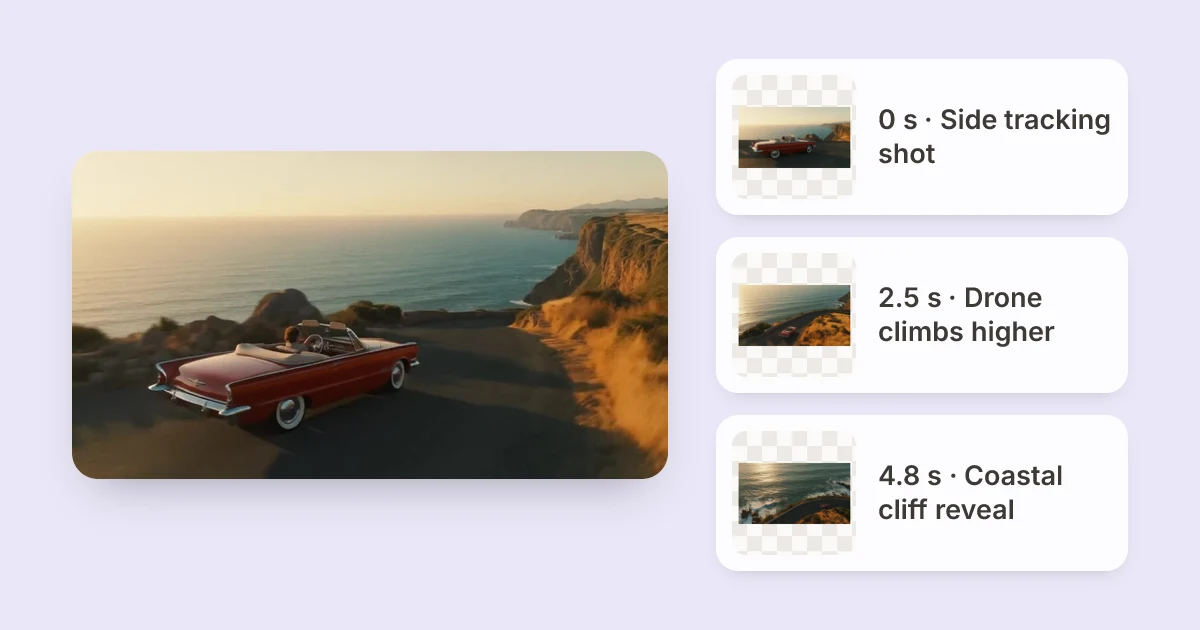
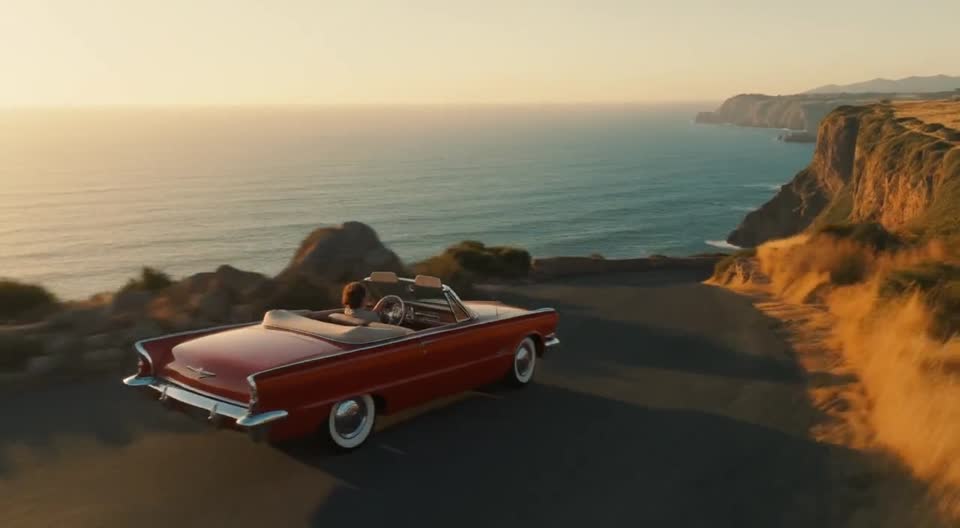
| Tracking + rise | “a drone shot tracks from the side and then rises above it” | Red coastal convertible (5 s) | Held vintage red car steady while revealing coastal cliff |
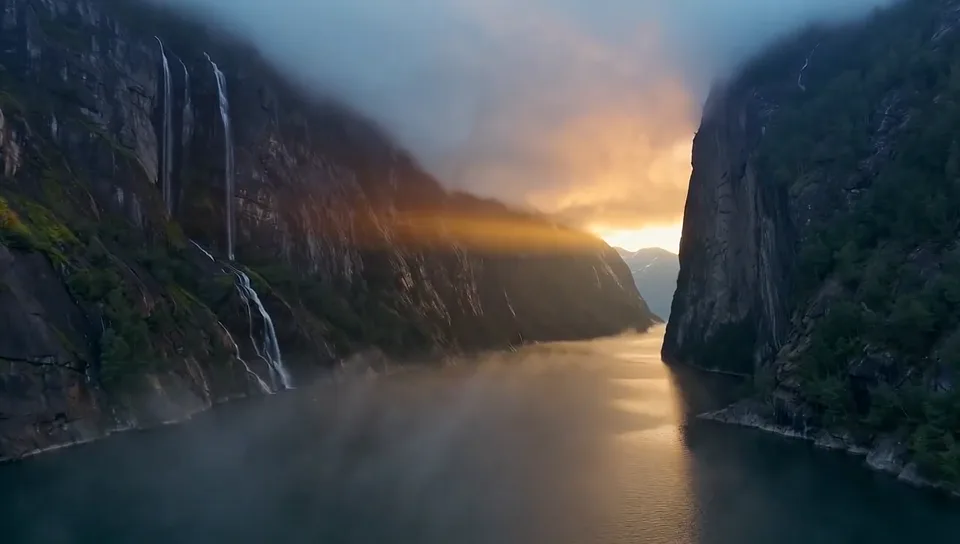
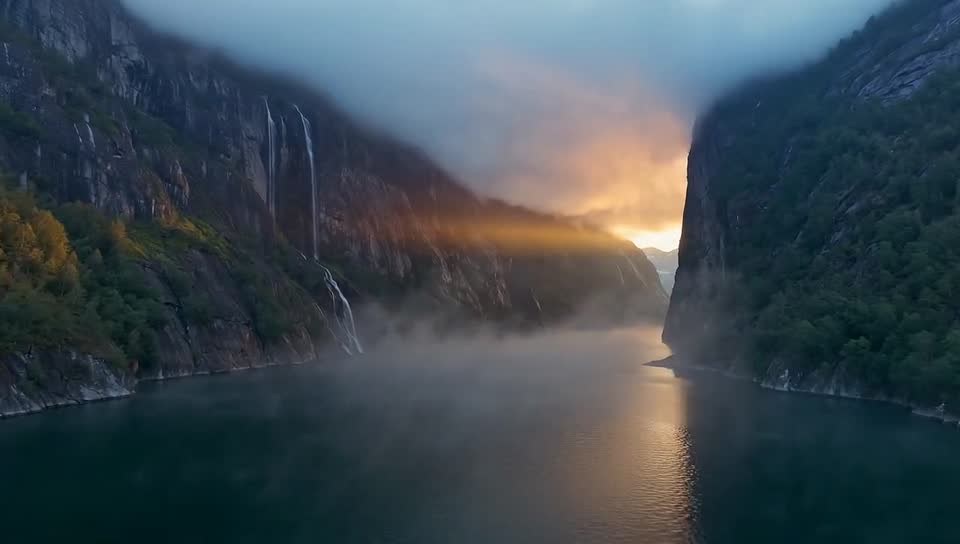
| Low aerial glide | “Aerial drone shot gliding low over…” | Misty fjord waterfalls (8 s, 1080p) | Smooth misty water and cliff parallax |
| Locked-off tripod | “while the camera holds completely still over the desk” | Watercolor lighthouse sketch (6 s) | Zero table drift while pencil lines filled with watercolor |
Matching camera speed to clip length
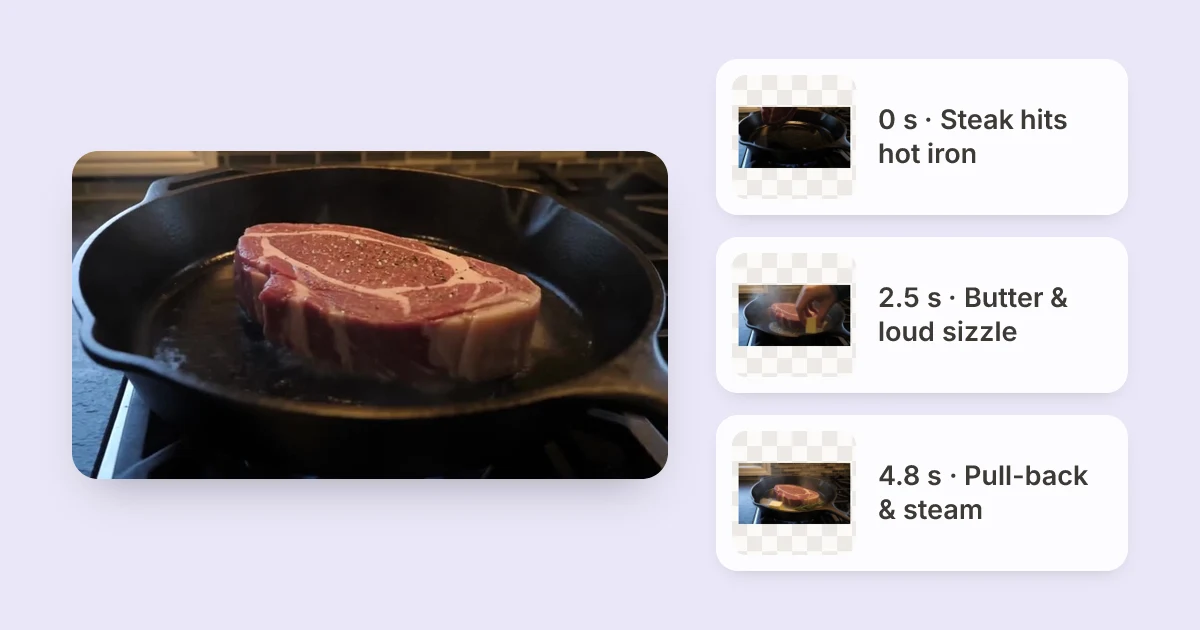
A 5-second clip has 120 frames at 24 fps. That is enough time for one simple move (a gentle push-in, a pull-back like our sizzling steak clip, or a 90-to-180 degree orbit), or one two-step beat like tracking beside a coastal convertible before rising up.
When you move up to 10, 15, or 20 seconds, give the camera a clear destination:
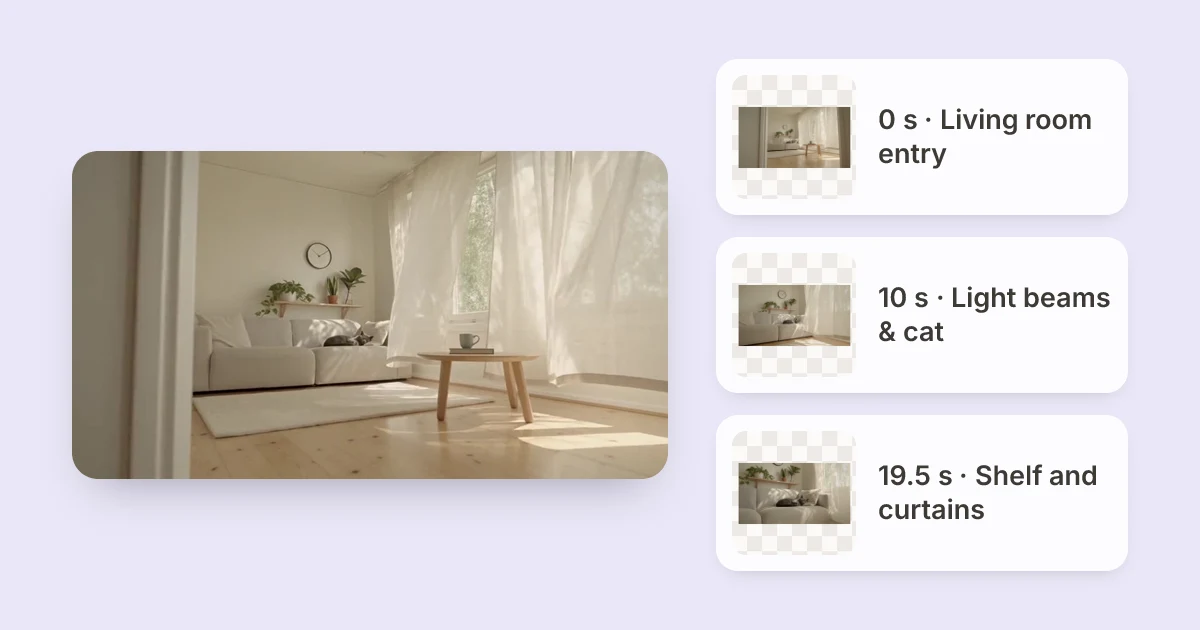
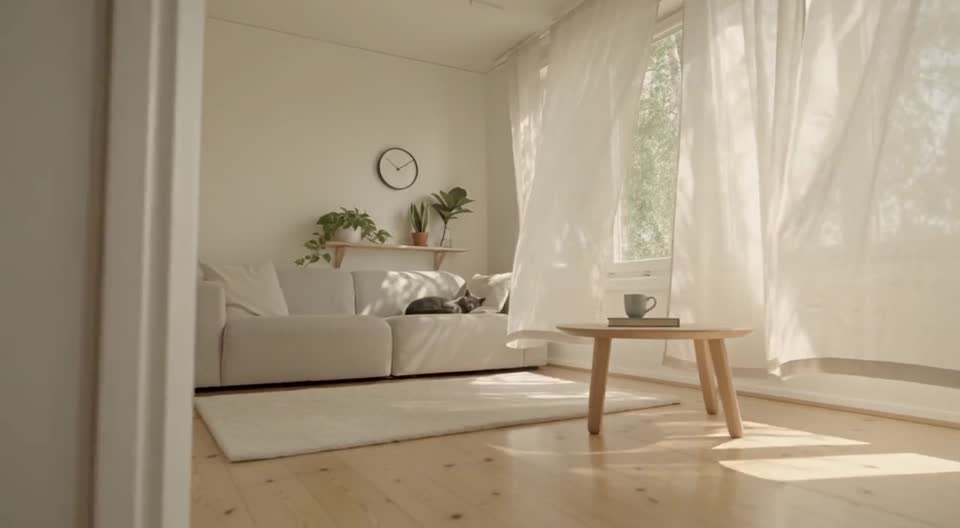
- In our 20-second Scandinavian living room clip (480 frames), “A slow dolly through a sunlit Scandinavian living room” travels calmly past curtains, dust motes, and a sleeping cat without whipping around.
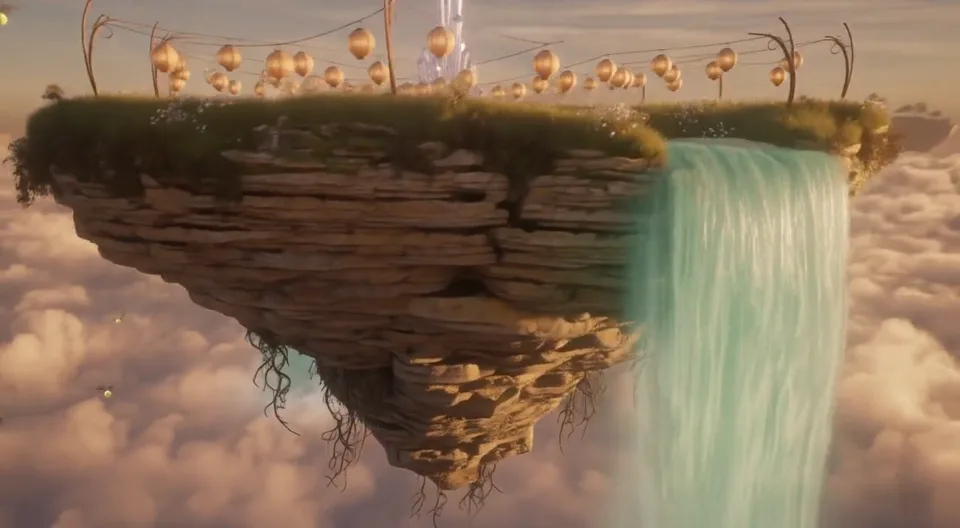
- In our 15-second floating island clip (360 frames), “the camera flies forward toward a crystal tower at golden hour” gives the shot a visual target for the full 15 seconds.
Where camera prompts go wrong (and how to fix them)
Even with clean wording, fast aerial paths can misjudge foreground obstacles near the end of a clip. In our 10-second snowy alpine village flyover (720p, 19 s wait), the first nine seconds of “Aerial drone shot gliding over a snowy alpine village at night” looked crisp, but in the final second the camera flew directly into a tall lit Christmas tree in the square and blurred out.
- Name camera height (“ground level”, “overhead”, “low angle”) alongside the verb
- Pair moving subjects with “tracks alongside” or “handheld follow”
- Use “slow” or “subtle” on push-ins to prevent jarring speed spikes
- Specify a destination on 15 to 20 second clips (“flies toward…”)
- Flying fast aerial shots directly toward small foreground trees or poles (as seen in our village flyover)
- Asking for rapid multi-angle cuts inside a 5-second clip
- Skipping camera language altogether on calm landscape photos (our wide windmill field returned minimal motion)
If you are animating a still photo in Image mode, camera instructions matter even more: in our 8-second cyberpunk neon street clip (9:16), adding “the camera rises slowly” turned a static street illustration into a vertical reveal as the flying cars lifted off. By contrast, leaving camera movement out or burying it in a calm landscape description left our lavender windmill still nearly stationary.
For the complete 4-part prompt structure behind these camera lines, read FLUX 3 Max prompt structure, or copy any tested camera prompt from the prompts page.
Pick a tracking, orbit, or drone prompt, load it into the studio, and swap the subject while keeping the camera move intact.
FAQ
What camera keywords does FLUX 3 Max follow reliably?
Simple, standard film terms worked consistently in our clips: “slow smooth push-in”, “slow dolly”, “tracks alongside at ground level”, “orbits from a low angle up to a high angle”, “aerial drone shot gliding low”, “tilts down”, and “camera holds completely still” / “locked-off”.
How do I keep the camera completely still during a transition?
Include “locked-off shot” or “the camera holds completely still” in your prompt, and pair it with matching first and last frames that share identical background geometry (as we did in our watercolor lighthouse and Christmas living room clips).
Can I combine two camera moves in one 5-second clip?
Simple two-part transitions work if they flow in one direction, such as “a drone shot tracks from the side and then rises above it” from our 5-second coastal convertible clip. Avoid abrupt cuts or reversing camera direction inside a 5-second window.
Why did my drone shot blur at the end of the clip?
Fast forward aerial paths can accidentally collide with a foreground landmark near the end of a 10-second run (as happened in the final second of our alpine village clip near the square tree). Slowing the glide or keeping the subject centered in open space reduces end-frame blur.