
FLUX 3 Max 720p vs 1080p: Cost, Upscaling, When to Use
Compare FLUX 3 Max 720p (36 credits/s) vs 1080p (62 credits/s): why 1080p is an upscale of the 720p render on fal, dollar costs, and when to switch.
On this page4 sections
On FLUX 3 Max, 720p is the native generation resolution (36 credits/s) and 1080p (62 credits/s) is an upscale of that 720p render on fal - costing 72% more credits per second. Draft every prompt and motion test at 720p first, and only switch to 1080p on a finished prompt when you need a larger delivery file for widescreen playback.
How 720p and 1080p differ on FLUX 3 Max
Looking at fal’s FLUX 3 Max model documentation, 1080p is explicitly documented as an upscale pass on top of the 720p render rather than a separate native-1080p diffusion model. Both resolutions output 24 fps H.264 MP4s with the same 5 to 20 s duration range, same 8 aspect ratios, and same native sound generation.
| Metric | 720p (Default) | 1080p (Upscale) |
|---|---|---|
| How fal generates it | Native 720p render (1280x704 at 16:9) | Upscale of the 720p render |
| Frame rate & audio | 24 fps, native AAC sound optional | 24 fps, native AAC sound optional |
| Credits per second | 36 credits/s | 62 credits/s (+72%) |
| 5-second clip cost | 180 credits ($1.50-$1.78) | 310 credits ($2.58-$3.07) |
| 10-second clip cost | 360 credits ($3.00-$3.56) | 620 credits ($5.16-$6.14) |
| 20-second clip cost | 720 credits ($6.00-$7.13) | 1,240 credits ($10.33-$12.28) |
(Dollar ranges reflect the Studio pack at $0.0083/credit down to the Starter pack at $0.0099/credit on our pricing page.)
What we observed in our own library clips
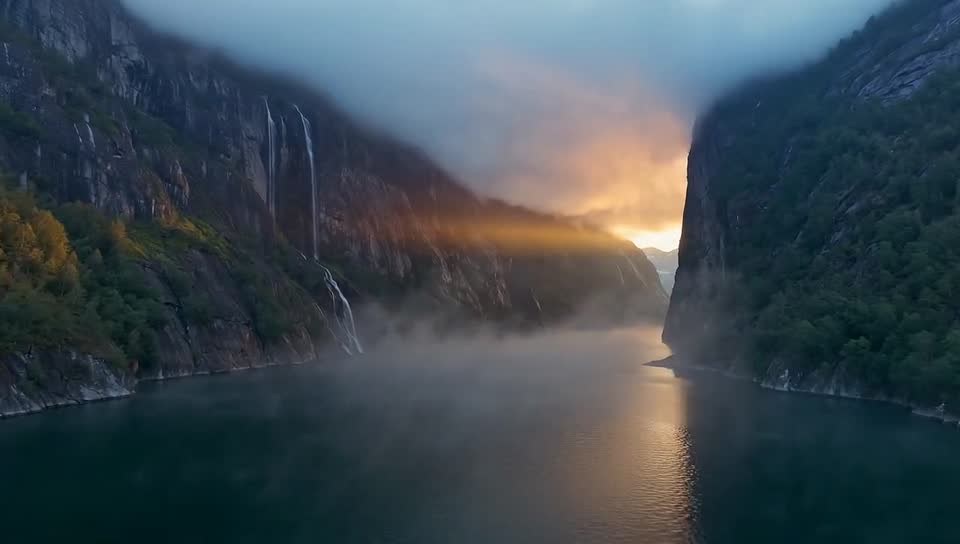
Out of the 30 clips in our examples library, 29 were generated at 720p and 1 clip (our 8-second foggy fjord flyover) was generated at 1080p. Note that on the website itself, preview videos are compressed to 720p for fast streaming, so download the original output MP4 in My videos when you generate a 1080p clip.
Because 1080p is upscaled from the same 720p generation:
- Motion and prompt adherence do not change: Switching a broken prompt from 720p to 1080p will not fix stiff movement, missing audio cues, or bad camera framing.
- Generation wait times are longer: Our expected wait-time estimate models roughly 1.6x longer processing for 1080p than 720p on top of fal’s base overhead.
When to stay on 720p vs switch to 1080p
- You are iterating on prompts, camera paths, or keyframe spacing (you get 72% more takes per pack)
- Publishing 9:16 vertical clips for mobile feeds like TikTok, Reels, or Shorts where feeds re-compress anyway
- Testing first-and-last frame geometry before committing extra credits
- Using your 60 Google sign-up credits plus 7-day check-in rewards (180 credits total) for a 5-second test
- A prompt already worked at 720p and you want a larger final asset for desktop web embeds or 1080p timelines
- You are delivering a final scenic or hero cut (like our misty fjord waterfall flyover) where edges benefit from clean upscaling
- Your project budget has headroom after drafting (see how to budget an AI video project)
Browse packs from $9.90 (Starter) to $149.90 (Studio), or switch between 720p and 1080p in the studio to preview exact credit totals.
FAQ
Is FLUX 3 Max 1080p native or upscaled?
On fal’s official FLUX 3 Max documentation, 720p is the native generation resolution (1280x704 at 16:9), and 1080p is an upscale of that 720p render.
How much more does 1080p cost than 720p on Flux3Max?
1080p costs 62 credits per second versus 36 credits per second for 720p - about 72% more credits per second. For a 5-second clip, that is 310 credits vs 180 credits.
Does 1080p follow prompts better than 720p?
No. Prompt adherence, motion, and audio come from the base 720p generation pass, so always dial in your prompt and camera wording at 720p before paying for 1080p.
Can I get 4K video from FLUX 3 Max?
No. FLUX 3 Max supports 720p and 1080p only. If you need 4K video output, look at base FLUX 3 Video or other 4K-capable models.