
10 Christmas AI Video Ideas: 5 Tested Clips, 5 Prompts
Five FLUX 3 Max Christmas clips we tested with exact prompts and settings, plus five unrun holiday ideas across hearths, rooms, and 9:16 cards.
On this page4 sections
The most reliable Christmas AI video ideas combine one clear winter subject, a slow camera path, and explicit seasonal sound cues like crackling fire, sleigh bells, or soft wind. Below are the 5 Christmas clips we actually generated on FLUX 3 Max on November 16, 2026, followed by 5 unrun prompt templates clearly marked as not tested.
Five Christmas clips we generated and verified
Every prompt in this section was run on FLUX 3 Max at 720p with sound enabled on November 16, 2026. The wait times below are our recorded submit-to-result times on fal, and the notes point out both what held together and what drifted.

1. Cozy stone fireplace with a sleeping cat
- Mode & settings: Text to video, 8 s, 720p, 16:9, sound on (19 s wait, 288 credits).
- Exact prompt we ran:
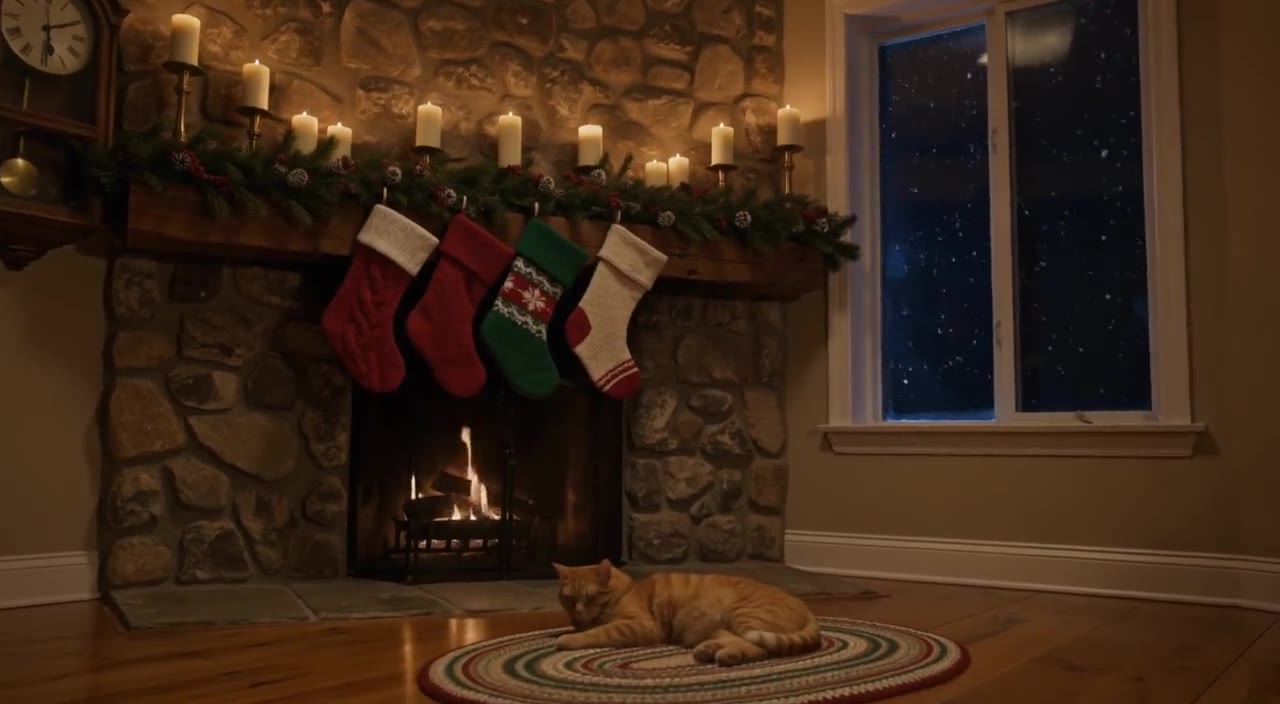
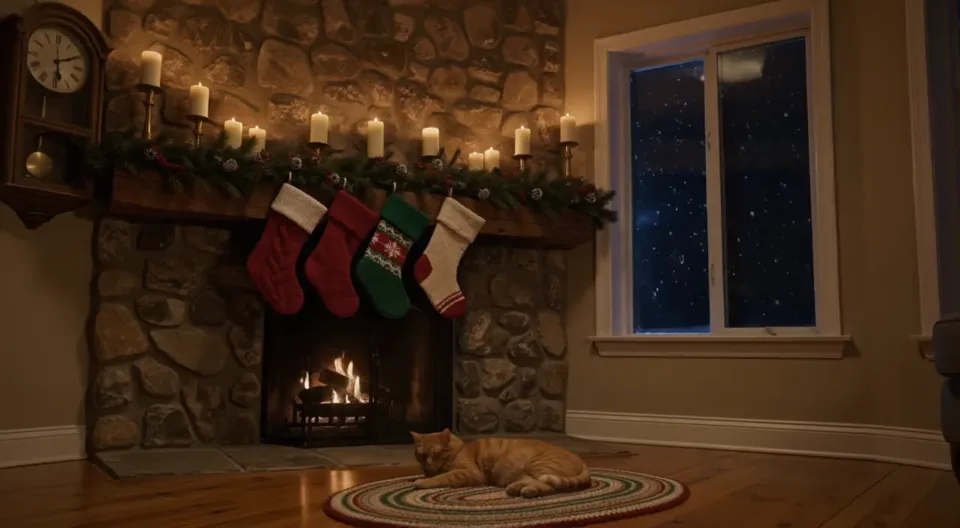
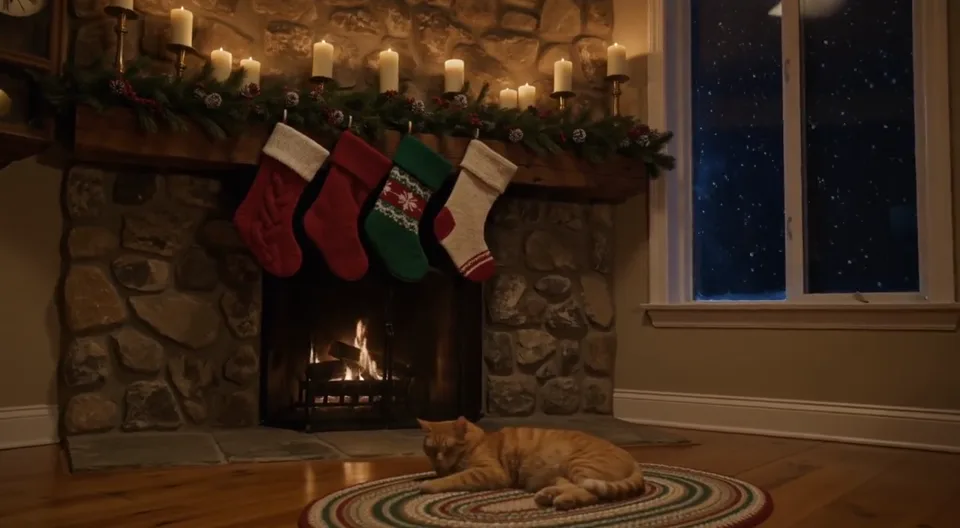
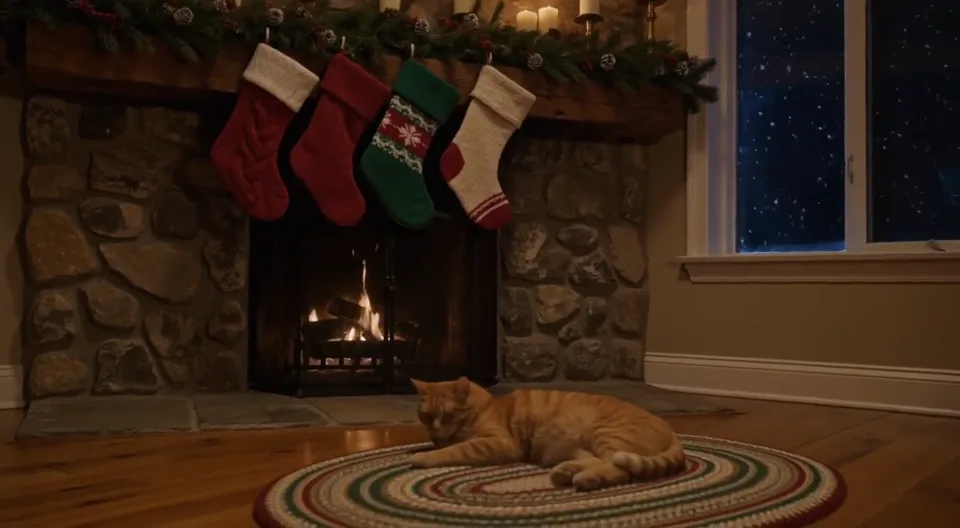
A slow smooth push-in on a warm stone fireplace with three knitted stockings, evergreen garland and glowing candles on the mantel, a ginger cat asleep on a rug, snow falling gently past a dark window. Crackling fire, a ticking clock and faint carols from another room.
What worked was the atmosphere: the fire flicker, snow outside the glass, and muffled clock tick stayed steady for all eight seconds. What drifted was object counting - the prompt asked for three knitted stockings, and the clip rendered four.
2. Empty living room corner to lit Christmas tree
- Mode & settings: First and last frame, 8 s, 720p, 16:9, sound on (42 s wait, 288 credits).
- Exact prompt we ran:
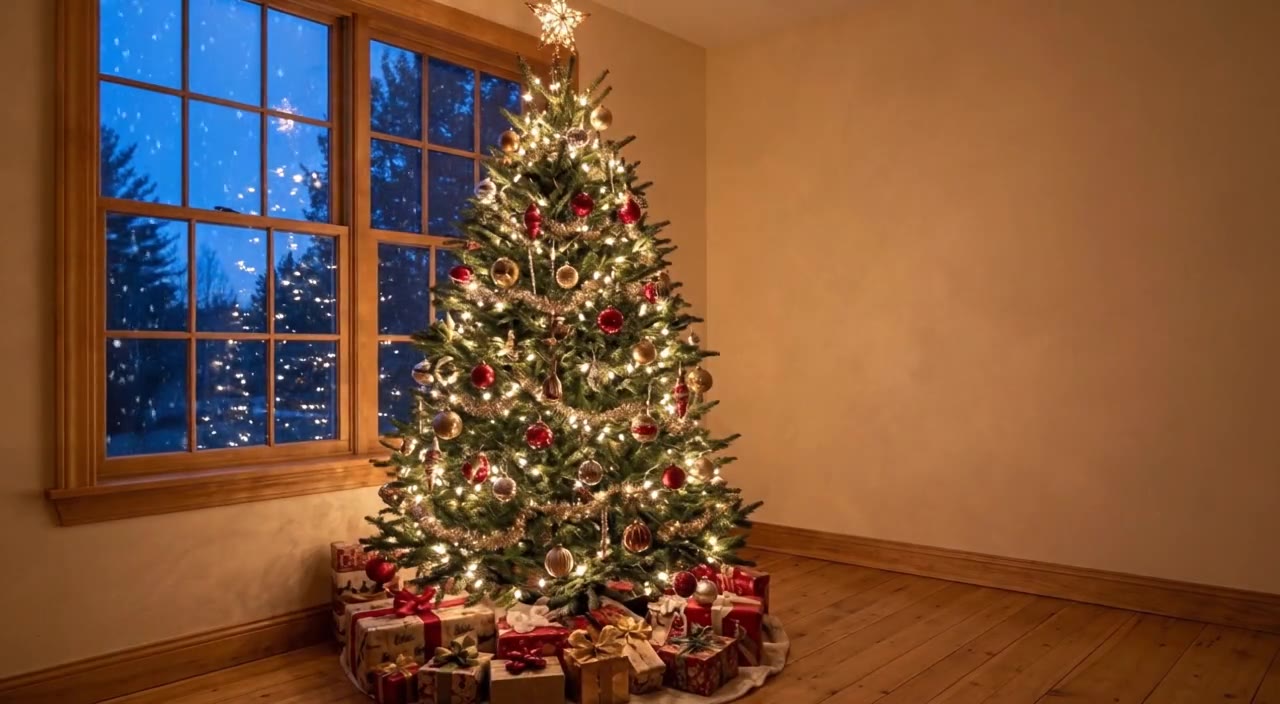
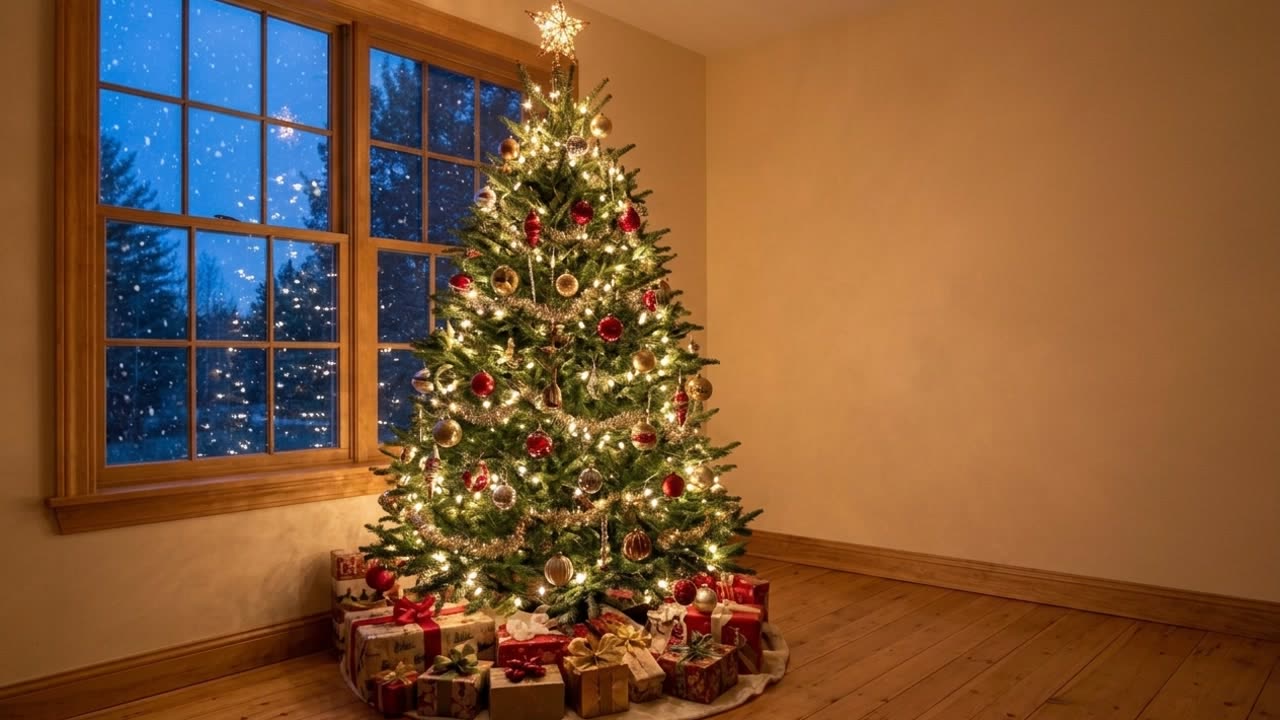
The Christmas tree appears in the living room corner and its warm fairy lights switch on string by string as wrapped gifts gather underneath and snow begins falling outside the window, locked-off cozy shot. A soft music-box melody and a crackling fireplace.
Locking the camera in both the empty corner starting frame and the lit tree ending frame kept the window panes and hardwood floor steady while the tree and gifts faded in cleanly. You can review more paired frame setups in our first-and-last frame guide.
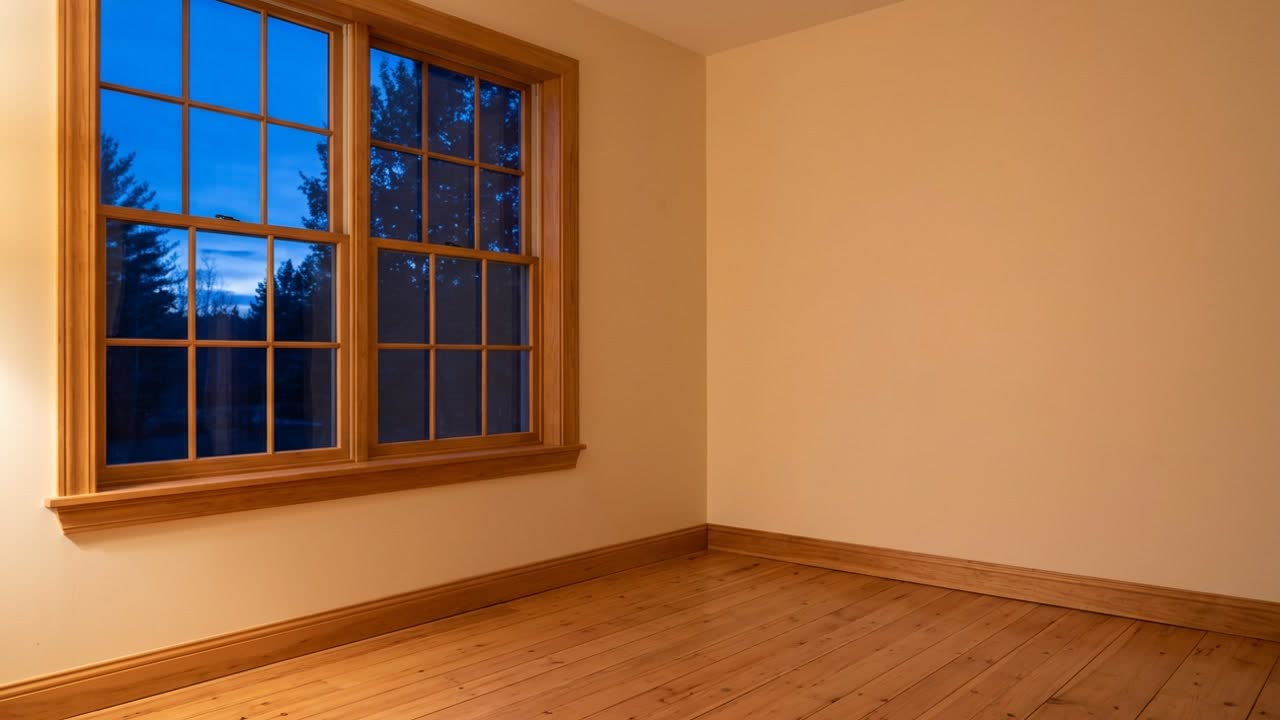 First frame: empty corner
 Last frame: lit Christmas tree
3. Illustrated fox in a snowy pine forest
- Mode & settings: Image to video, 6 s, 720p, 9:16 vertical, sound on (24 s wait, 216 credits).
- Starting frame: Painterly red fox forest card illustration (9:16).
- Exact prompt we ran:
Snow begins falling gently in the pine forest, the stars twinkle in the night sky, the red fox turns its head and a tiny puff of warm breath shows in the cold air, gentle parallax motion. Soft winter chimes and gentle wind.
Animating an existing card illustration works well when you want gentle motion rather than heavy camera travel. The painterly brushstrokes stayed intact while the fox turned and exhaled a visible puff of breath.
4. Aerial glide over a snowy alpine village
- Mode & settings: Text to video, 10 s, 720p, 16:9, sound on (19 s wait, 360 credits).
- Exact prompt we ran:
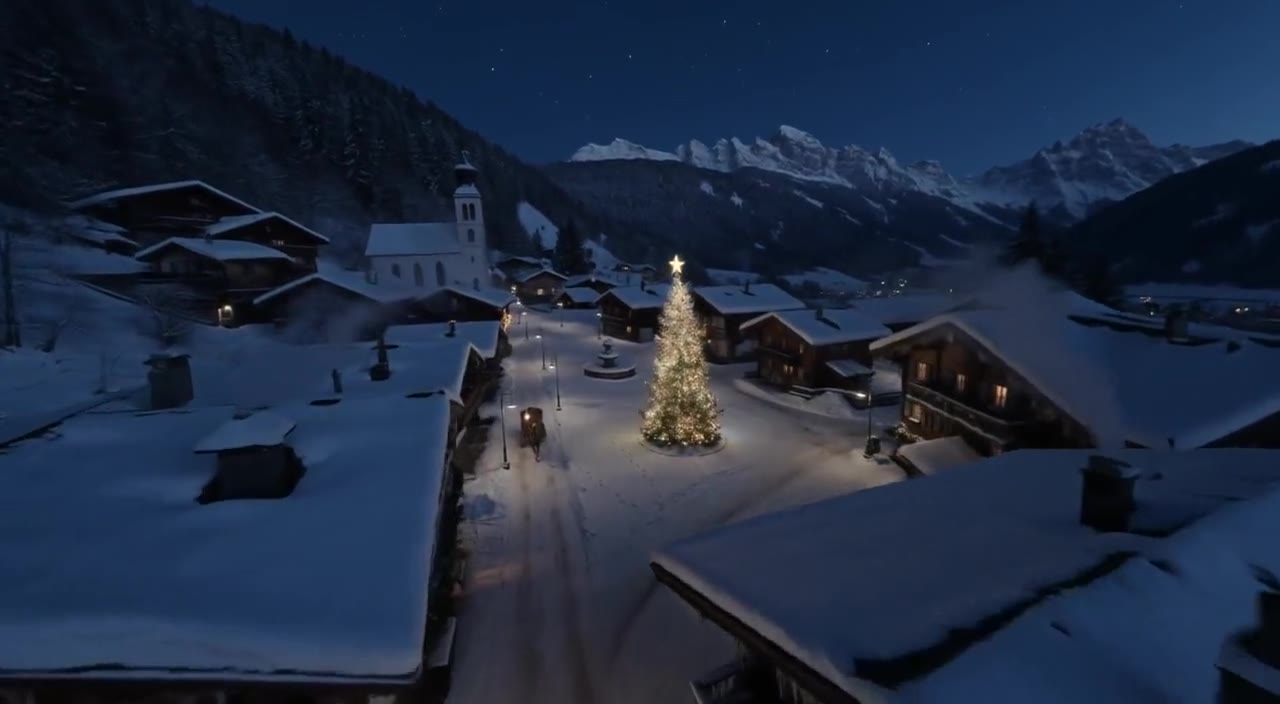
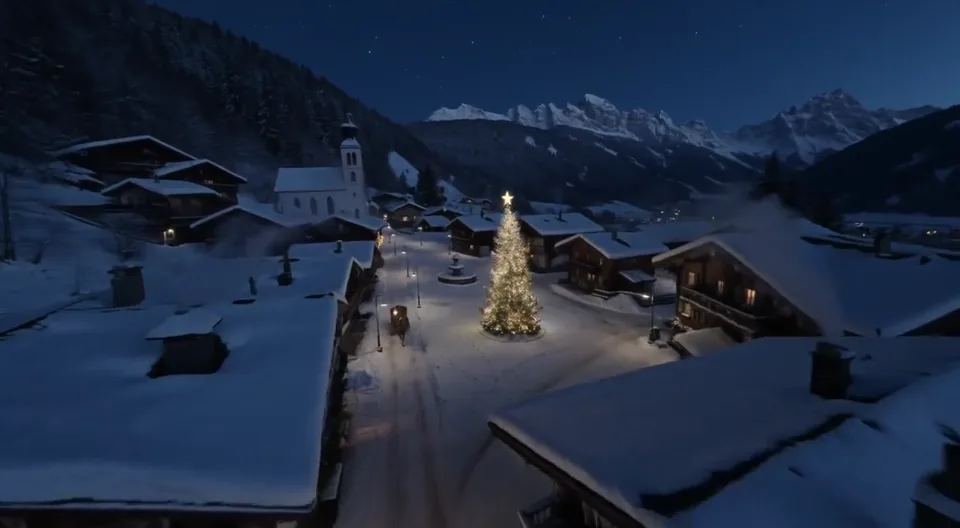
Aerial drone shot gliding over a snowy alpine village at night, warm glowing cottage windows, a tall lit Christmas tree in the square, and a horse-drawn sleigh crossing the snowy street. Sleigh bells, soft night wind and distant church bells.
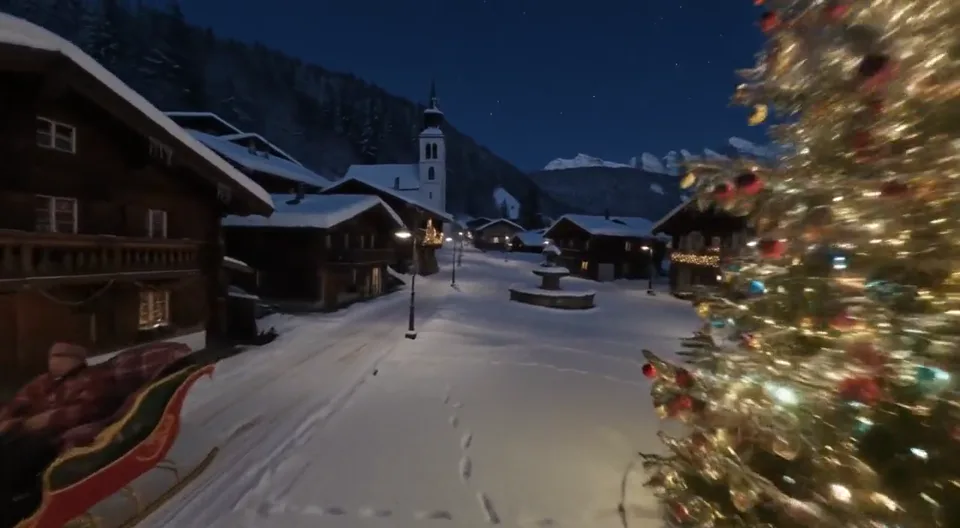
The first nine seconds glide smoothly over the cottages and sleigh, with clear sleigh bells and wind. In the final half-second, the drone passes very close to the lit square tree and blurs - a helpful reminder to check the last frames of flying shots.
 4 s smooth village glide
 9.5 s close tree blur
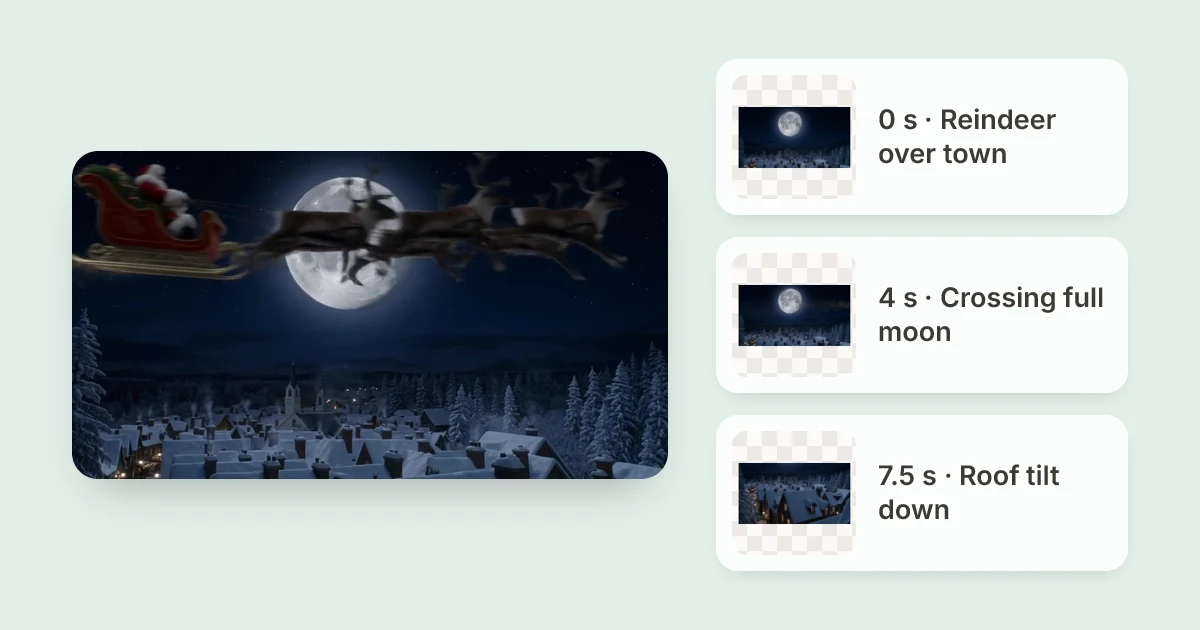
5. Reindeer sleigh across a full moon
- Mode & settings: Text to video, 8 s, 720p, 16:9, sound on (17 s wait, 288 credits).
- Exact prompt we ran:
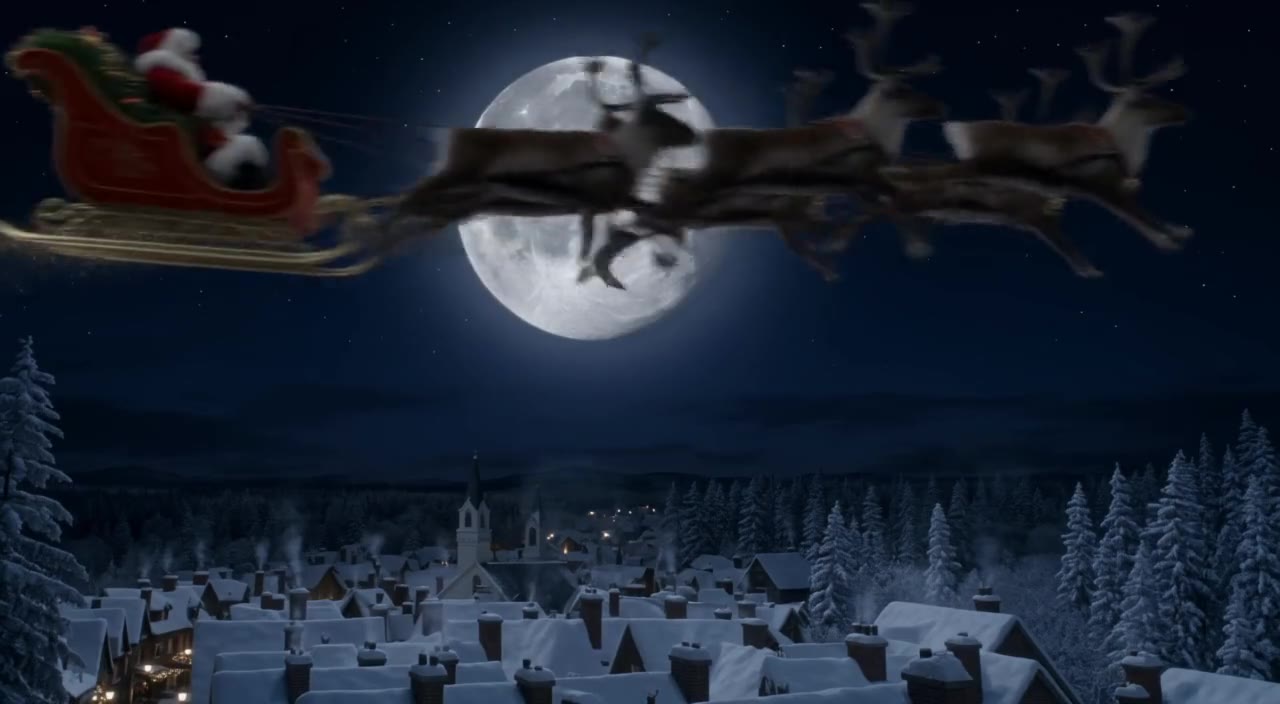
A sleigh pulled by reindeer flies gracefully across a bright full moon over a sleeping snowy town, leaving a subtle glittering trail, wide cinematic shot that tilts down toward the snow-covered rooftops. Sleigh bells, a whoosh of wind and a warm orchestral swell.
Splitting the shot into two beats - crossing the moon, then tilting down toward the rooftops - kept the silhouette readable instead of crowding the sleigh into the foreground.
Five unrun Christmas prompt ideas (not tested yet)
The five concepts below follow the same four-part structure as our tested runs (subject, motion, camera, sound), but we have not generated or verified these five prompts on FLUX 3 Max. Expect to tweak wording or run a second take if a prop shifts.
| Idea | Suggested mode & shape | Draft prompt (not run yet) |
|---|---|---|
| Hot cocoa mug with rising steam and snow outside | Text to video, 5 s, 9:16 | “Close-up of a ceramic mug of hot cocoa topped with melting marshmallows on a wooden windowsill while snow falls outside at dusk, slow dolly in. Quiet room tone, soft ceramic clink, and faint fireplace crackle.” |
| Advent calendar window opening | First & last frame, 5 s, 16:9 | “A miniature wooden advent house door number 24 swings open smoothly to reveal warm golden light inside while snow sparkles on the roof eaves, locked-off macro shot. Soft wooden creak and gentle music-box chimes.” |
| Snowy pine forest train ride | Text to video, 10 s, 21:9 | “Wide tracking shot beside a vintage steam train winding through snow-covered pines at twilight, warm light glowing from passenger windows and white steam trailing into the cold air. Rhythmic rail clatter, distant whistle, and cold wind.” |
| Family pet portrait by tree lights | Image to video, 5 s, 9:16 | “The dog sitting by the glowing Christmas tree tilts its head curiously, blinks, and wags its tail softly as warm bokeh lights shimmer behind it. Soft jingle collar sound and quiet cozy room tone.” |
| Gift wrap ribbon untying itself | Text to video, 6 s, 1:1 | “Overhead macro shot of a crimson satin ribbon neatly untying on a brown kraft-paper gift box beside pine sprigs, warm tungsten lamp light, camera holds still. Crisp paper rustle, soft fabric slide, and warm winter bells.” |
Cost and practical limits for holiday clips
At 720p, every second costs 36 credits across text, photo, and keyframes modes (180 credits for a 5-second clip, 288 for 8 seconds, 360 for 10 seconds). New accounts get 60 free credits when they sign up with Google and can earn 120 more from a 7-day check-in (180 total - enough for one 5-second 720p clip with no watermark and no card required; check-in credits expire after 14 days). For full pack pricing, see our pricing page or browse more tested runs in the examples gallery.
Load one of our five tested Christmas scenes into the studio, swap a detail, or upload your own holiday illustration or room pair.
FAQ
How much does a Christmas AI video cost on Flux3Max?
A 5-second 720p clip costs 180 credits ($1.50 to $1.78 depending on your credit pack), and an 8-second 720p clip costs 288 credits. New accounts get 60 free credits when they sign up with Google and can earn 120 more over 7 daily check-ins (180 total, covering one 5-second 720p clip with sound).
Which mode is best for an animated Christmas card?
Image-to-video mode works best when you already have an illustration, holiday artwork, or pet photo you want to keep intact. Upload the card image as the first frame, set Ratio to Auto to match its shape, and describe subtle motion like falling snow or blinking lights.
Can I turn an empty living room photo into a decorated Christmas room?
Yes, using first-and-last frame mode. Take or create two matching images of the same corner - one bare and one decorated - from the exact same camera angle, and keep the prompt focused on lights turning on and snow falling outside.
Does FLUX 3 Max generate Christmas music and sound effects too?
Yes. Sound is generated in the same pass as the video and enabled by default, so prompts naming crackling fire, sleigh bells, winter wind, or a soft music-box melody produce synchronized audio without separate editing.
How long are generated Christmas videos kept?
Finished MP4 videos stay in My videos for 30 days so you can replay or download them, while uploaded starting or ending frames are deleted automatically about 1 day after upload.